6.4 | Transformations & Live Corners
Key Terms
- Scaling
- Uniformly or non-uniformly resizing an object larger or smaller.
- Rotating
- Turning an object around a fixed reference point by a given angle.
- Reflecting
- Flipping an object across a horizontal or vertical axis to create a mirror image.
- Shearing / Skewing
- Slanting an object along a horizontal or vertical axis while keeping its opposite sides parallel.
- Distorting / Warping
- Reshaping an object’s outline in a non-uniform way, using Free Transform’s warp handles or an Effect > Warp preset, rather than a simple scale, rotate, reflect, or shear.
- Bounding Box
- The rectangular outline that just contains a selected object, used as a quick handle for scaling and rotating.
- Reference Point
- The fixed point, one of nine positions on the bounding box, or a custom point, that a transformation is measured and anchored from.
Last lesson before S6. Today covers the transformation tools you’ll use constantly when finalizing any piece. Resizing, rotating, flipping, slanting, and rounding corners.
Direct Instruction | Live Demo (~10 min)
“Watch what changes when I rotate this same shape around its center versus around one corner. > same angle, completely different result.”
The teacher live-demos on a sample shape:
- Scale: proportional (Shift-drag) vs. non-proportional resizing.
- Rotate: around the default center vs. a custom reference point.
- Reflect: flipping across a vertical axis.
- Shear: slanting while keeping sides parallel.
- Live Corners widget: dragging a rectangle’s corner handle to round it live.
Recall: What’s the difference between scale and shear? Analysis: Why does choosing a different reference point change the result of a rotation, even at the exact same angle? Synthesis: If you needed to rotate one shape around a specific corner of another shape (not its own center), how would you set that up?
Guided Practice | Practice Checklist (~23 min)
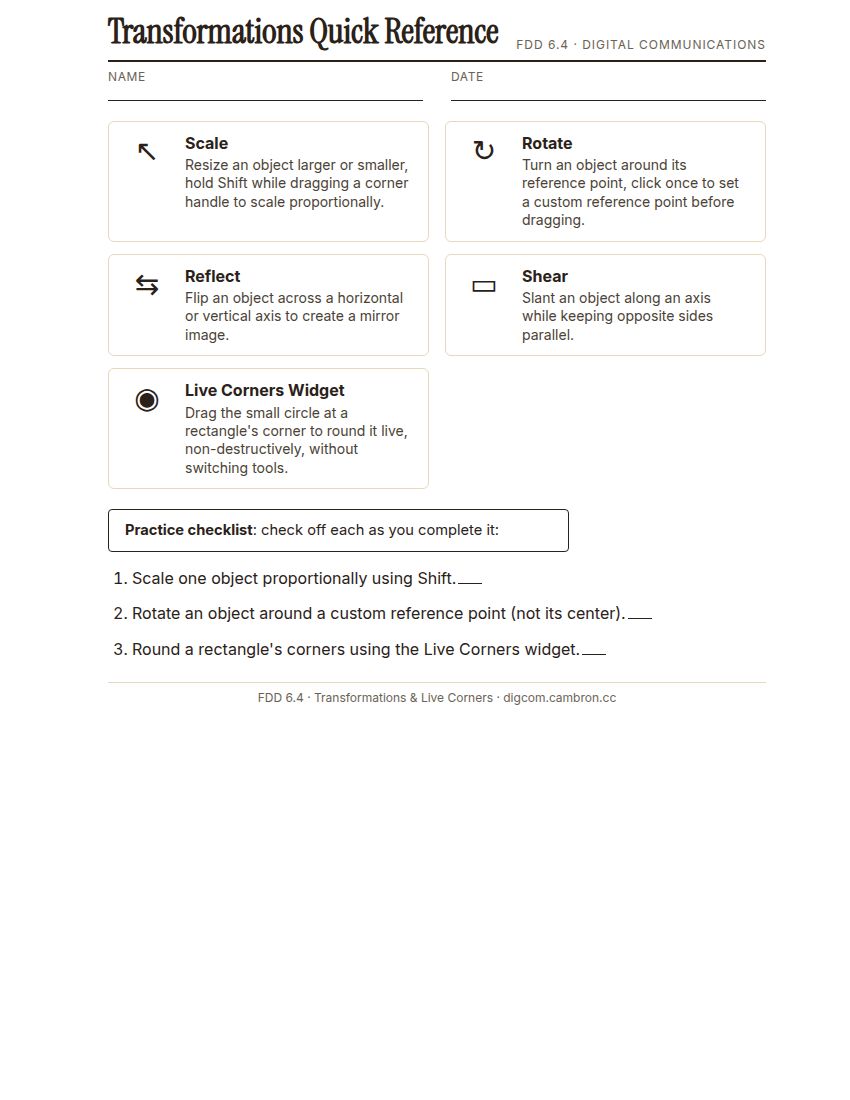
Complete the handout, three hole punch it, and keep it in your class binder.
⬇ Download Worksheet (PDF)- Proportional scale (~6 min): scale one object larger while holding Shift.
- Custom-point rotation (~9 min): click to set a custom reference point away from the object’s center, then rotate around it.
- Live Corners (~8 min): draw a rectangle and drag its Live Corners widget to round the corners without switching tools.
Forgetting Shift while scaling is the single most common way a logo ends up accidentally stretched. Make it a habit.
Exit Ticket / Wrap-Up (~5 min)
Screenshot your completed checklist (all 3 tasks visible).
Why does the reference point you choose change the result of a rotation, even using the exact same angle?
🗂 Organize: Put your completed transformation practice checklist in your binder. Save your screenshot receipt in the Photos folder of your Digital Design project folder on Google Drive.
📤 Exit Ticket: 3-2-1. On a scrap of paper, write in complete sentences, not a list of fragments: 3 sentences describing things you did or made today, 2 sentences naming techniques or tools you used and how, and 1 sentence asking a question you still have.
Stuck on how to start? Try: “Today I ___. I also ___. I used ___ to ___. I also used ___ to ___. I’m still wondering ___.”