5.3 | Recording & Voice-Over
Key Terms
- Room Tone
- The ambient sound of a specific recording space with no one talking. Recorded and kept for use when smoothing edits later.
- Natural/Ambient Sound
- The real sound of an environment, recorded to add realism and context to a scene or episode.
- Foley
- Sound effects recreated and recorded in post-production to match on-screen or implied action.
- Levels
- How loud or quiet an audio signal is, monitored while recording and during a mix.
- Gain
- The setting that controls how much a microphone’s signal is amplified before recording.
- Clipping
- Audio distortion that happens when a signal’s levels are pushed too high. A hard, harsh digital error, not a stylistic effect.
- Sampling Rate
- How many times per second an analog audio signal is measured/digitized. Higher sampling rates capture more detail.
- Voice-Over Record
- Recording a narration or host track separately from other audio, to be mixed in later.
- Scratch Track
- A rough, temporary audio recording used as a placeholder during editing before a final version is recorded.
A great script recorded badly is still a bad episode. Today’s entirely about the technical side of capturing clean audio. The boring-sounding work that makes everything after it possible.
Direct Instruction (~10 min)
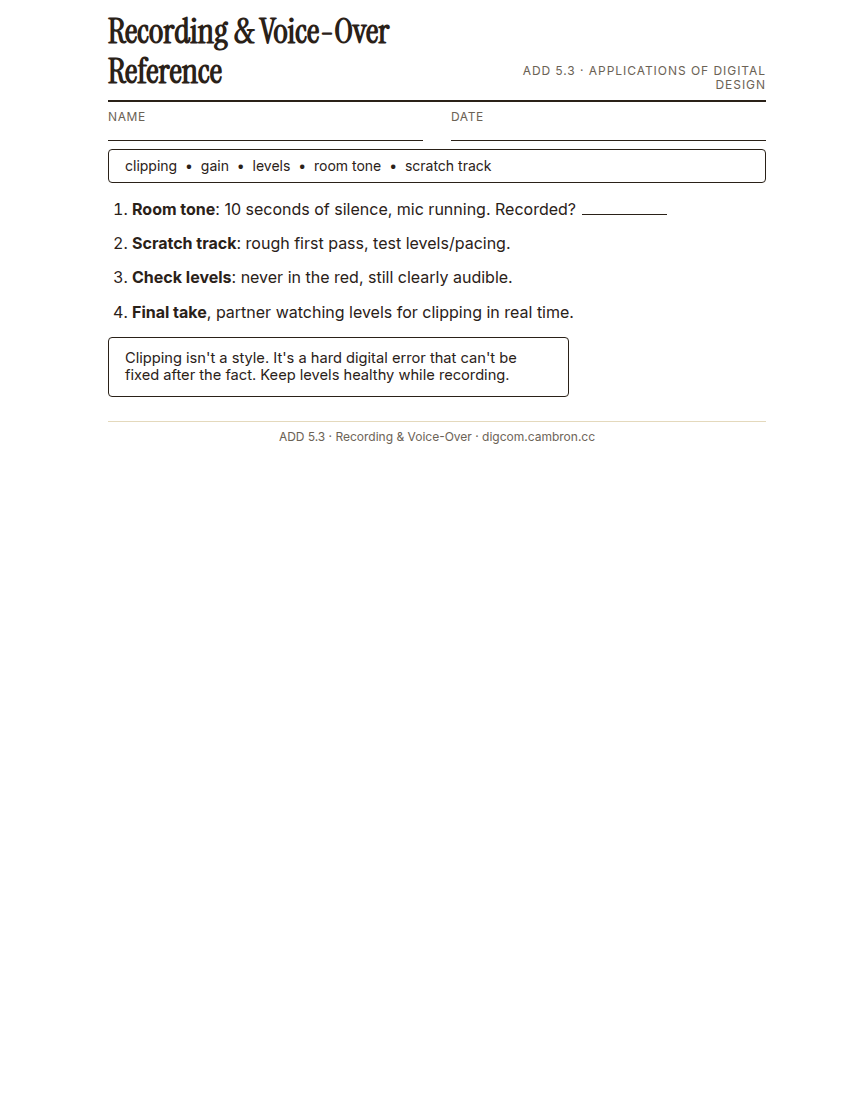
Complete the handout, three hole punch it, and keep it in your class binder.
⬇ Download Worksheet (PDF)“Clipping isn’t a style. It’s a hard digital error that can’t be fixed after the fact. Keep your levels healthy while recording, because you can always turn something up later, but you can never un-clip it.”
Walk through: recording room tone (silence in your space, useful for editing later), monitoring levels and gain, avoiding clipping, and recording a clean voice-over take.
Scaffolded questions. Cold-call through all three:
Recall: “What is room tone, and why would you bother recording silence?”
Analysis: “Why can’t clipping be fixed in editing after the fact?”
Synthesis/Extension: “If your levels are too quiet instead of clipping, is that a smaller problem? Why or why not?”
Guided Practice | Record Clean Audio (~23 min)
- Record 10 seconds of room tone: everyone silent, mic running.
- Record a scratch track: a rough first pass of your script, just to test levels and pacing.
- Check your levels: adjust gain so you’re never in the red (clipping) but still clearly audible.
- Record your final voice-over take, with a partner watching levels and calling out any clipping in real time.
Cold call check: halfway through your final take, you notice you’ve been clipping the whole time. What do you do: keep going, or stop and restart?
GMetrix/BrainBuffet (~30 min)
Continue Module 3, and supplement with GMetrix practice questions targeting ACP domain 4.7 (Essential Sound), since Premiere’s BrainBuffet course has no dedicated audio module.
Exit Ticket / Wrap-Up (~5 min)
🗂 Organize: Save your recorded voice-over take in the Source Footage folder of your Digital Design project folder on Google Drive. Save your room tone sample in the Source Footage folder of your Digital Design project folder on Google Drive.
📤 Exit Ticket: Emoji Meter. On a scrap of paper, draw ONE face that matches how confident you feel about today’s skill: 🙁 (not yet), 😐 (getting there), or 🙂 (got it). Then explain why in at least 3 sentences (aim for 5), connecting your answer to something specific from today, not just a general feeling.
Stuck on how to start? Try: “I drew ___ because ___. Specifically, when I tried to ___, I ___. Next time I want to ___.”