8.2 | Pacing
Key Terms
- Editorial Judgment
- The set of decisions an editor makes that aren’t dictated by the footage itself. which take, which angle, how long to hold a shot, when to cut away. The difference between assembling clips and actually editing.
- Continuity Editing
- Cutting so that time, space, and action feel seamless and logical to a viewer, even though the footage was shot out of order and from multiple angles.
- Invisible Edit
- A cut a viewer doesn’t consciously notice, because it follows the action or the eye naturally (cutting on movement, matching an eyeline). The goal of most narrative editing.
- Cutting on Action
- Making a cut in the middle of a movement (a door closing, a hand reaching) instead of before or after it, so the motion itself hides the edit.
- Rhythm
- The felt pace of a sequence created by shot length, the space between cuts, and how those lengths change over time. Editing rhythm is closer to music than to writing.
- Tension
- The sense of anticipation or unresolved energy a sequence builds, often through shortening shot length, withholding information, or cutting away at the wrong (right) moment.
Two edits of the same footage, using the exact same shots, can feel completely different. The only thing that changed is pacing.
Direct Instruction (~10 min)
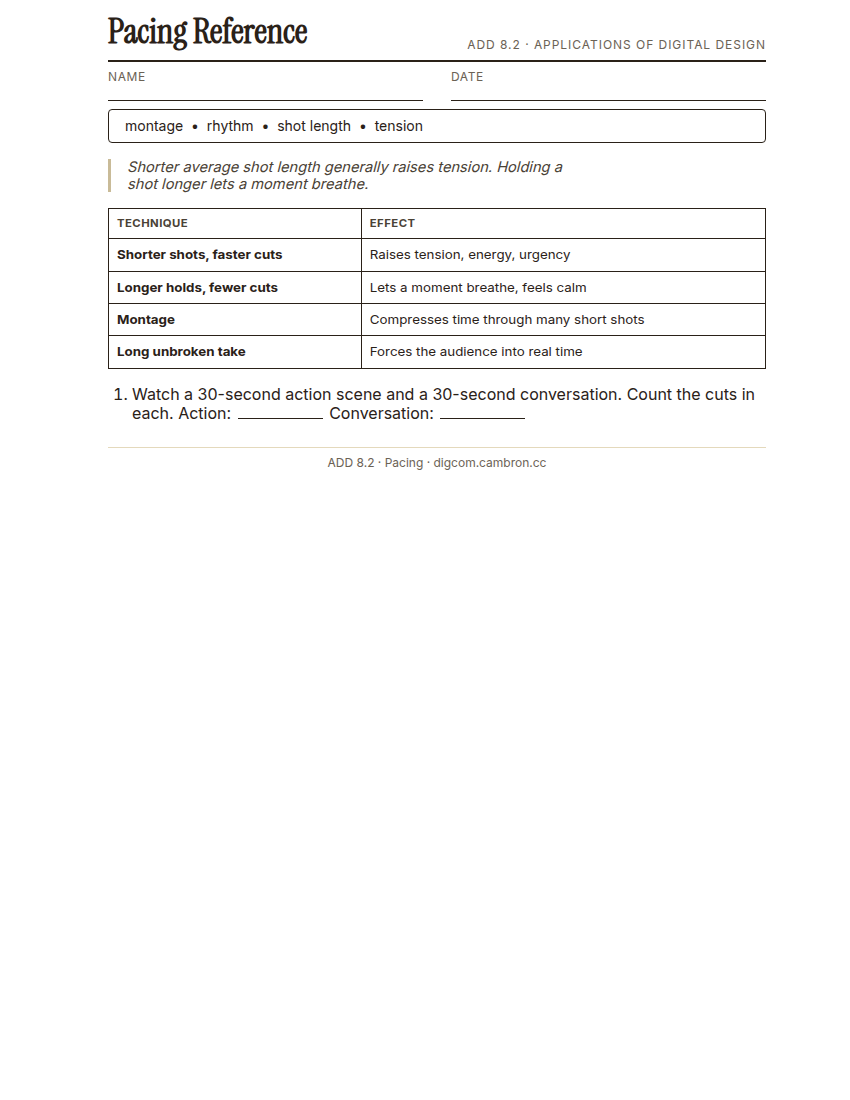
Complete the handout, three hole punch it, and keep it in your class binder.
⬇ Download Worksheet (PDF)Rhythm is the felt pace of a sequence, created by shot length and how the space between cuts changes over time. Shortening shot length generally raises tension; holding a shot longer lets a moment breathe. A montage compresses time through many short shots; a long, unbroken take does the opposite, forcing the audience to sit inside a moment in real time. Neither is better, the choice depends entirely on what the scene needs to feel like.
“Count the cuts in a 30-second action scene versus a 30-second conversation sometime. The action scene probably has five times as many. That’s not an accident, it’s pacing doing its job.”
Scaffolded questions. Cold-call through all three:
Recall: “What generally happens to tension when you shorten average shot length?”
Analysis: “Why might a director deliberately use one long, unbroken take instead of cutting it into a fast montage, even for a tense moment?”
Synthesis/Extension: “Your scene needs to feel like time is running out. Besides shortening shots, what else about pacing could you change to reinforce that?”
Guided Practice (~23 min)
- Open the provided sequence and source clips.
- Build a fast-paced version: shorter average shot length, quicker cuts.
- Build a slow-paced version of the same footage: longer holds, fewer cuts.
- Compare the two. What does each version make you feel that the other doesn’t?
- Turn and Talk: screen both for a partner without saying which is which. Can they guess which one you intended as “fast”?
Think about a scene from your own Short Film footage (Unit 7). Would it work better paced fast or slow, and why?
GMetrix/BrainBuffet (~30 min)
Continue this term’s Premiere Pro GMetrix module.
Exit Ticket / Wrap-Up (~5 min)
🗂 Organize: Put your guided notes in your binder. Save your two paced versions of the sequence in the Project Files folder of your Digital Design project folder on Google Drive.
📤 Exit Ticket: Glow & Grow. On a scrap of paper, write about today’s work in at least 3 sentences (aim for 5): describe one Glow (something that went well) and one Grow (one thing you’d do differently or improve next time), explaining each with real detail, not just a phrase.
Stuck on how to start? Try: “My Glow today was ___, because ___. My Grow is ___. Next time I’ll try ___.”