1.1 | Intro to Digital Video Production
Key Terms
- Pixel
- The smallest single point of color information in a digital image or video frame. Short for “picture element.”
- Frame Rate
- The number of individual still frames played per second to create the illusion of motion, expressed in frames per second (fps). For example, 24fps for film, 30fps for standard video.
- Frame Size
- The width and height of a video frame, measured in pixels (for example, 1920×1080 for standard HD).
- Aspect Ratio
- The proportional relationship between a video frame’s width and height, expressed as a ratio. 16:9 (widescreen), 9:16 (vertical/mobile), or 1:1 (square) are the most common today.
- Safe Area(s)
- The portion of a video frame guaranteed to display correctly on every screen. Action safe (where important action should stay) and title safe (a smaller inner zone for text). Protecting against cropping on some displays.
- Codec
- Short for “coder/decoder”. The software that compresses raw video into a smaller file for storage and playback, then decompresses it again to display. H.264 is the most widely compatible codec.
- Rendering
- The process a computer performs to combine a project’s clips, effects, and audio into a single finished, playable video file.
Have you noticed the rise in amateur video productions, not festival entries, but videos made by your neighbor’s kids? Today, anyone with a computer, a smartphone, and editing software can create a video that rivals what used to require an entire production studio.
Part 1 | Guided Notes: Going Digital & the Movie-Making Process (~12 min)
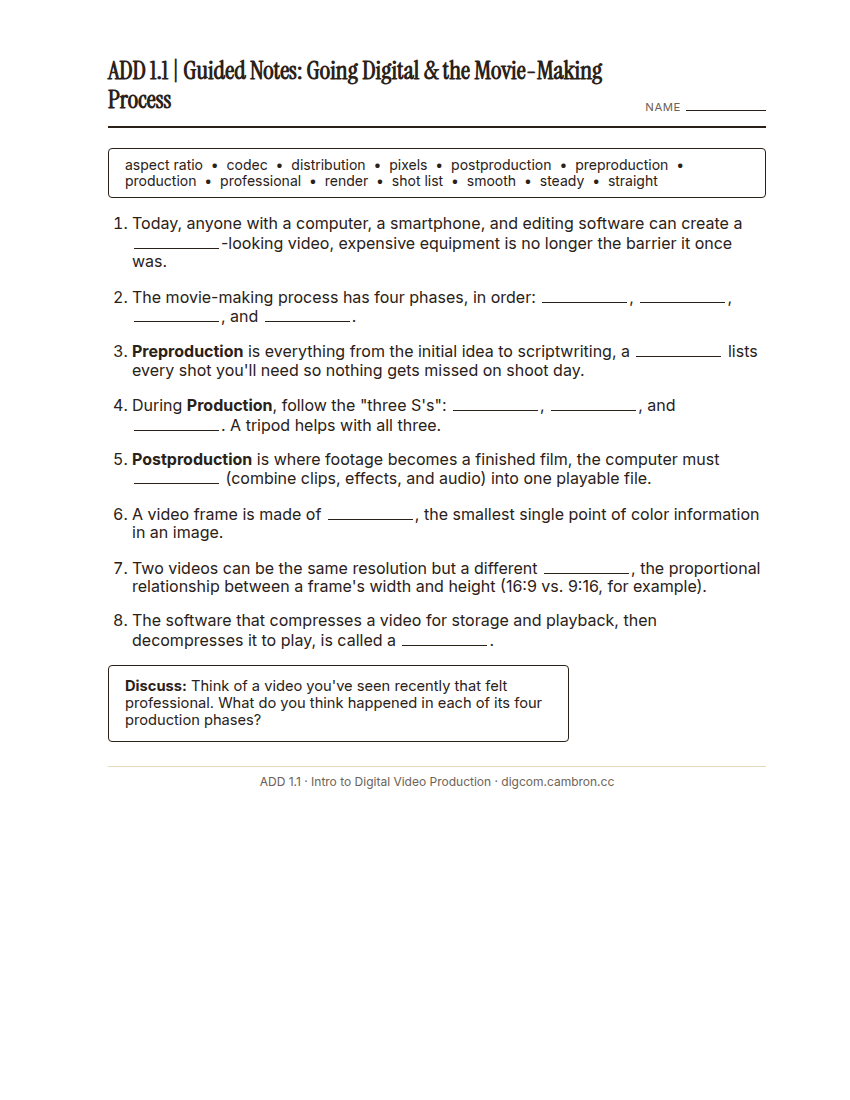
Complete the handout, three hole punch it, and keep it in your class binder.
⬇ Download Worksheet (PDF)Every video, no matter how big or small, goes through four phases:
- Preproduction means everything from the initial idea to scriptwriting. A shot list helps ensure every critical moment gets captured.
- Production means capturing the footage. Follow the “three S’s”: Straight, Steady, and Smooth. A tripod helps with all three. Pay attention to lighting (avoid harsh backlighting and deep shadows) and keep the camera close enough to get clean audio.
- Postproduction is where the film comes to life. Editing software imports footage, trims clips, and adds titles and effects, mirroring the tools professionals use.
- Distribution means sharing the finished video: posting to a platform like YouTube, sending it directly to friends (compression may lower quality), sharing on social media, or backing it up to cloud storage.
Once you start paying attention to camera angles, sound, and effects in videos you watch for fun, you start noticing them everywhere. Has that already started happening to you?
Part 2 | Movie-Making Process Autopsy (~48 min)
Your teacher will play two short, professional-quality videos. For each one, you’ll fill out a process chart identifying moments that reveal each of the four phases, and any technical choices (frame rate, aspect ratio, codec) you can spot.

- Watch (silent first pass): experience the whole video once without taking notes.
- Analyze (second pass): watch again, pausing as needed, and fill in your worksheet. What evidence do you see of preproduction planning? Of deliberate production choices? Of postproduction editing? How is this video meant to be distributed (broadcast, streaming, social)?
- Partner check: compare your chart with a neighbor’s before the whole-class discussion.
Which phase’s evidence was hardest to spot on screen, and why do you think that is?
Wrap-Up (~8 min)
Think of a video you’ve personally seen or made. Walk through its four phases. What do you think happened in each one?
🗂 Organize: Put your guided notes and your completed Movie-Making Process worksheet in your binder.
📤 Exit Ticket: Stoplight. In the discussion board below, let us know how you’re doing: G (green: I’ve got this, ready to move on), Y (yellow: I mostly get it, still have a question), or R (red: I’m stuck, I need help). Then explain your rating in at least 3 sentences (aim for 5): what specifically about today’s skill makes you feel that way, and, if you’re yellow or red, what your actual question is.
Stuck on how to start? Try: “I picked ___ because ___. Specifically, when I tried to ___, I ___. One thing that would help is ___.”