4.3 | Concept Sketches
Key Terms
- Selection Tool
- The solid black arrow (shortcut V). Selects and moves an entire object, group, or several objects at once by their bounding box.
- Direct Selection Tool
- The hollow white arrow (shortcut A). Selects and edits individual anchor points, segments, or direction handles within a path, without moving the whole object.
- Lasso Tool
- Selects anchor points or whole paths by freehand-dragging an irregular loop around them.
- Group Selection Tool
- Nested with the Direct Selection tool. One click selects a single object inside a group, a second click on the same object selects its whole group, and each additional click selects the next group up.
- Isolation Mode
- Entered by double-clicking a group or object. Temporarily dims and locks everything else on the artboard so you can edit inside the group without accidentally affecting the rest of the artwork.
Today you’ll plan the actual composition, color palette, and meaning behind your stained-glass piece on paper. Before you build a single path in Illustrator.
Direct Instruction | Sketching a Composition (~10 min)
The teacher sketches a simple window composition on the board, narrating decisions aloud:
- Panel structure: where do the major dividing lines go? A rose window, a rectangular grid, and an arched panel all organize their shapes differently.
- Color placement: warm colors for energy or emphasis, cool colors for calm or background. Contrast draws the eye, harmony holds a piece together.
- Story/symbolism: what does this composition need to communicate, and which shapes carry that meaning?
Recall: Name one thing stained glass windows across different cultures tend to have in common. Analysis: Why might a designer put their most important shape at the center of a rose window composition instead of in a corner? Synthesis: If your stained glass piece told a story in three parts, how would you divide your panels to show that?
Guided Practice | Plan Your Piece (~23 min)
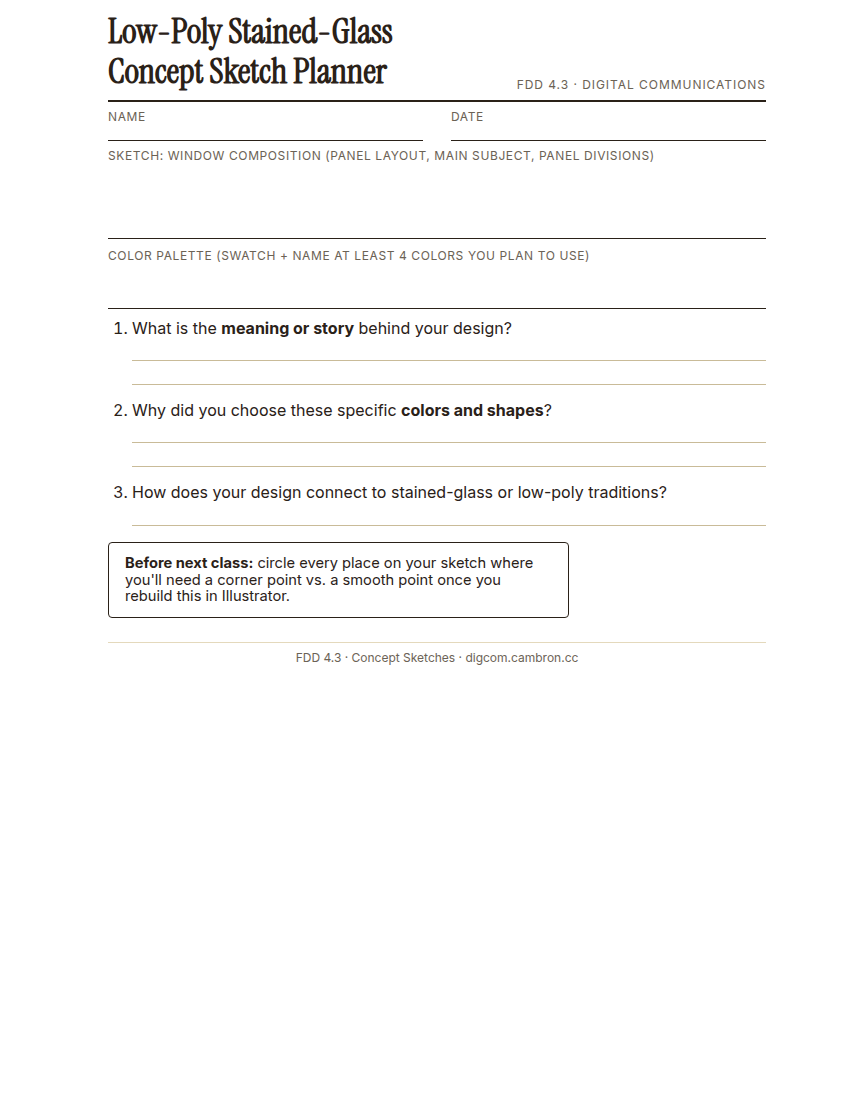
Complete the handout, three hole punch it, and keep it in your class binder.
⬇ Download Worksheet (PDF)- Sketch (~10 min): using your 4.1 inspiration board for reference, sketch your window composition. Bold, clear panel divisions, with your main subject placed intentionally.
- Color palette (~6 min): choose and swatch at least 4 colors inspired by stained glass traditions, considering warm/cool contrast and symbolic meaning.
- Written explanation (~7 min): answer the Planner’s 3 questions about the meaning behind your design, why you chose these colors and shapes, and how it connects to stained-glass or low-poly traditions.
Circle every place on your sketch where you’ll need a corner point vs. a smooth point once you rebuild it in Illustrator. You’ll thank yourself next class.
Exit Ticket / Wrap-Up (~5 min)
Photograph your finished sketch. You’ll build directly from it in upcoming classes.
Peer exchange: briefly show a partner your color choices. Did explaining your reasoning out loud change how confident you feel about them?
🗂 Organize: Put your window composition sketch, your color palette selection, and your written explanation of design meaning and symbolism in your binder.
📤 Exit Ticket: Emoji Meter. On a scrap of paper, draw ONE face that matches how confident you feel about today’s skill: 🙁 (not yet), 😐 (getting there), or 🙂 (got it). Then explain why in at least 3 sentences (aim for 5), connecting your answer to something specific from today, not just a general feeling.
Stuck on how to start? Try: “I drew ___ because ___. Specifically, when I tried to ___, I ___. Next time I want to ___.”