11.2 | Suns and Moons
Key Terms
- Composition (Comp)
- The container or workspace where every layer, effect, and animation in an After Effects project comes together, the equivalent of a Premiere sequence.
- Layer
- A single element (text, image, shape, video) inside a composition that can be animated and manipulated independently of every other layer.
- Anchor Point
- The fixed point a layer rotates and scales around. Move it off-center and rotation swings around that new point instead of the layer’s middle.
- Precomposing
- Grouping several layers into a single new composition nested inside the original, so they can be animated, scaled, or effected together as one unit.
- Render Queue
- After Effects’ export system. Add a composition to the queue, choose render/output settings, then render, similar to Premiere’s Media Encoder but built into the same application.
A day/night cycle that loops has to solve a problem 11.1 didn’t: the end has to match the beginning exactly, or the seam shows every time it repeats.
Direct Instruction (~10 min)
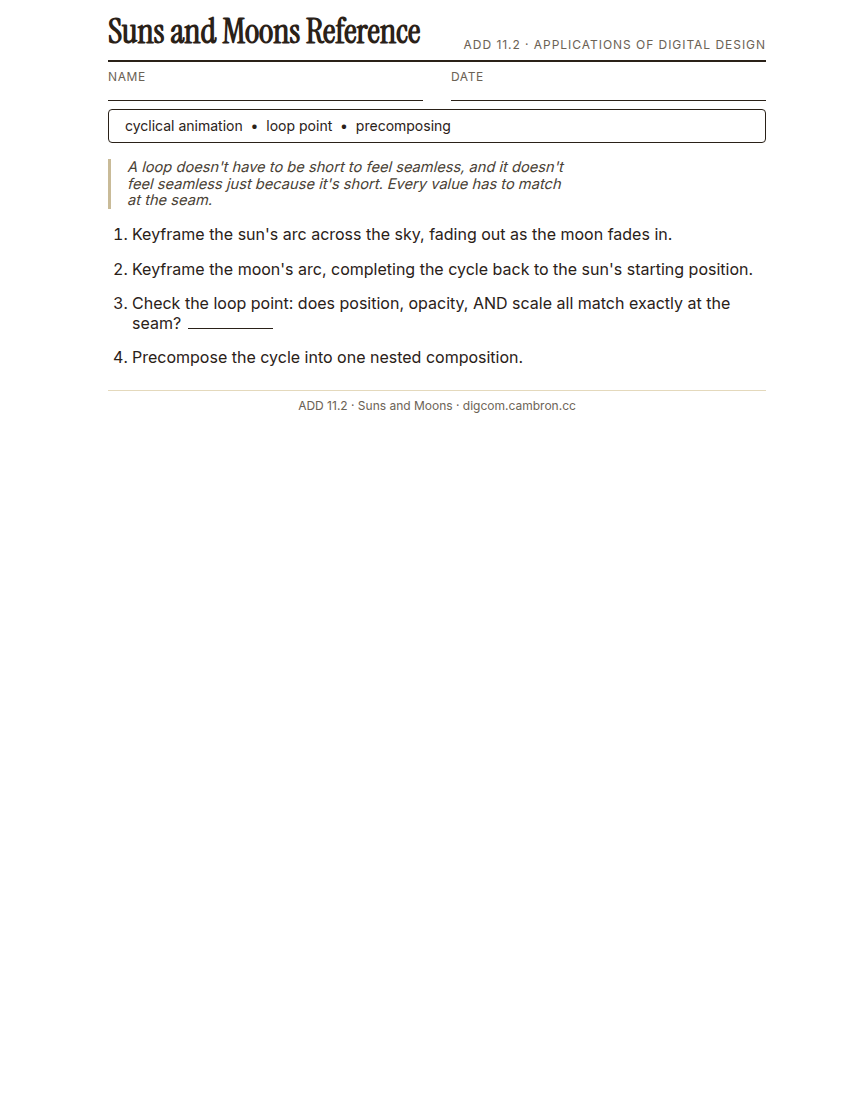
Complete the handout, three hole punch it, and keep it in your class binder.
⬇ Download Worksheet (PDF)A cyclical animation loops back to its starting state, a sunrise-to-sunset-to-sunrise cycle, a spinning logo, a pulsing icon. The hard part: every property that’s keyframed (position, scale, opacity, rotation) has to return to the exact same value it started at, or the loop visibly jumps. Precomposing groups multiple animated layers (the sun, the moon, the sky color) into one nested composition, so the whole cycle can be treated, retimed, or reused as a single unit.
“A loop doesn’t have to be short to feel seamless, and it doesn’t have to feel seamless just because it’s short. It’s seamless because every value matches at the seam, nothing more.”
Scaffolded questions. Cold-call through all three:
Recall: “What has to be true about a keyframed property for a loop to feel seamless?”
Analysis: “Why might precomposing the sun/moon cycle make it easier to reuse in a different project later?”
Synthesis/Extension: “Your loop is 4 seconds and needs to feel calm, not busy. What would you change about your keyframe timing to achieve that?”
Guided Practice (~23 min)
- Open the provided sun/moon shape template.
- Keyframe the sun’s arc across the sky, fading out as the moon fades in.
- Keyframe the moon’s arc the same way, completing the cycle back to the sun’s starting position.
- Check the loop point: does position, opacity, and scale all match exactly at the seam?
- Small-group troubleshoot: each group checks one classmate’s loop for a visible jump.
What made a loop feel seamless, and what gave a non-seamless one away?
Studio/Project Work Time (~30 min)
Precompose your sun/moon cycle into a single nested composition. Add a second looping element (drifting clouds, twinkling stars) that complements the cycle without breaking its seam.
Exit Ticket / Wrap-Up (~5 min)
Save your file, then screen-record or export a short loop of your animation.
🗂 Organize: Put your guided notes in your binder. Save your looping sun/moon animation in the Project Files folder of your Digital Design project folder on Google Drive.
📤 Exit Ticket: Glow & Grow. On a scrap of paper, write about today’s work in at least 3 sentences (aim for 5): describe one Glow (something that went well) and one Grow (one thing you’d do differently or improve next time), explaining each with real detail, not just a phrase.
Stuck on how to start? Try: “My Glow today was ___, because ___. My Grow is ___. Next time I’ll try ___.”