4.1 | Art Analysis & Inspiration Board
Key Terms
- Anchor Point
- A fixed point on a vector path, placed by clicking, or click-dragging, with the Pen tool, that marks where a path changes direction or curvature.
- Segment
- The straight or curved line connecting two anchor points along a path.
- Corner Point
- An anchor point where a path changes direction abruptly, with no curve handles (or two independent handles) on either side.
- Smooth Point
- An anchor point where a path curves continuously through the point, with linked, symmetrical direction handles on either side.
- Direction Handle (Direction Line)
- The lever extending from a smooth anchor point that controls a curve’s angle and depth on either side of the point. Dragging it is how you “curve an angle.”
Welcome to Unit 4. For the next several classes, you’ll design and build a Low-Poly Stained-Glass piece in Adobe Illustrator using the Pen tool. Before you touch the software, you’re going to study the two art traditions your final piece will blend: the color and storytelling of stained glass windows, and the geometric, faceted style of low poly art.
Direct Instruction | Reading Art Like a Designer (~10 min)
“Every curve you see in a finished piece of art started as a decision: where to place a point, and how far to pull its handles. Today we’re learning to see those decisions.”
The teacher will project one stained glass example (for example, Chartres Cathedral or a Marc Chagall window) and one low poly illustration, and think aloud through:
- Color & Light: where are the boldest colors? Where does the piece use contrast versus harmony?
- Geometric Structure: point out where a shape’s outline would need a corner point (an abrupt change of direction) versus a smooth point (a continuous curve). Even a “simple” stained glass border is really a sequence of anchor points and segments.
- Story/Symbolism: what is this piece communicating, and how do the shapes support that?
Recall: What’s the difference between a stained glass window and a low poly illustration, just based on how each one is built? Analysis: Why might a designer choose sharp, angular facets (low poly) to represent a subject that traditional stained glass usually renders with smooth curves? Synthesis: If you were combining both styles in one piece, where would you keep sharp corners, and where would you want a smooth curve?
Guided Practice | Analyze & Curate (~23 min)
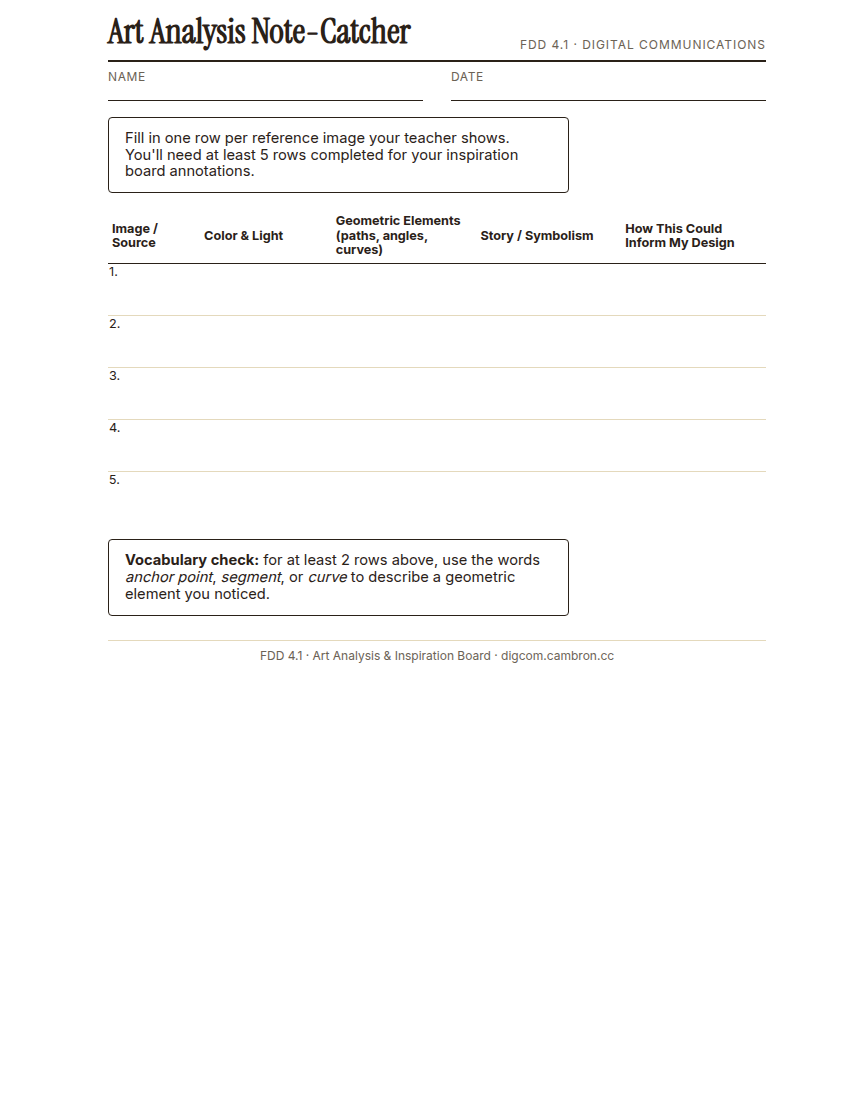
Complete the handout, three hole punch it, and keep it in your class binder.
⬇ Download Worksheet (PDF)- Think-Pair-Share (~5 min): with a partner, look at one reference image the teacher provides and complete the first row of your Note-Catcher together out loud.
- Independent research (~13 min): search for 5–7 images, a mix of stained glass and low poly art, that you find inspiring for your own piece. For each, fill in a row of your Note-Catcher.
- Build your board (~5 min): start a digital inspiration board (Google Slides, Docs, or Canva) with your chosen images and a 2–3 sentence annotation under each, explaining:
- What you find inspiring about the piece
- How it will influence your final stained glass design
- Any specific colors, shapes, or themes you want to incorporate
Use the words anchor point, segment, or curve in at least two of your annotations. You’ll be using this exact vocabulary to build the piece yourself starting next class.
Exit Ticket / Wrap-Up (~5 min)
Save your inspiration board draft (you’ll keep adding to it through 4.3) and submit your Note-Catcher.
Which single reference image most influenced your early thinking about your own design, and why?
🗂 Organize: Put your completed Art Analysis Note-Catcher in your binder. Save your inspiration board (5–7 images with annotations) in the Photos folder of your Digital Design project folder on Google Drive.
📤 Exit Ticket: Stoplight. In the discussion board below, let us know how you’re doing: G (green: I’ve got this, ready to move on), Y (yellow: I mostly get it, still have a question), or R (red: I’m stuck, I need help). Then explain your rating in at least 3 sentences (aim for 5): what specifically about today’s skill makes you feel that way, and, if you’re yellow or red, what your actual question is.
Stuck on how to start? Try: “I picked ___ because ___. Specifically, when I tried to ___, I ___. One thing that would help is ___.”