6.4 | Mattes, Masks & Picture-in-Picture
Key Terms
- Matte
- A shape or image used to define what part of a layer is visible or hidden.
- Mask
- A path drawn directly on a clip to hide or reveal part of it. The hand-drawn version of a matte.
- Track Matte
- Using one clip’s luminance or alpha channel to control the transparency of another clip layered above or below it.
- Alpha Channel
- The part of a pixel that stores transparency information, separate from its color (RGB) data.
- Picture-in-Picture (PiP)
- A smaller video frame displayed within a larger one, commonly scaled and positioned using keyframed transform properties.
Today combines everything else this unit has built, keyframes, keying, and effects, into three techniques you’ll see in almost every reaction video, tutorial, and title sequence.
Direct Instruction (~10 min)
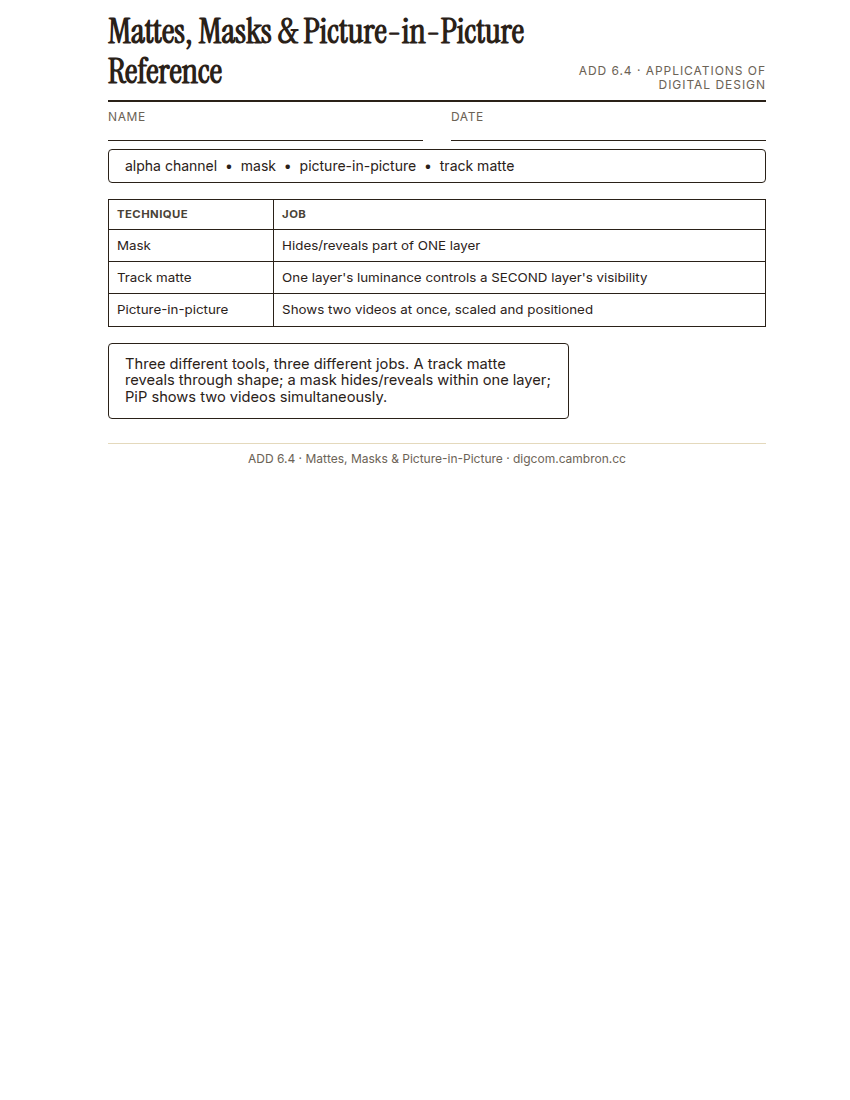
Complete the handout, three hole punch it, and keep it in your class binder.
⬇ Download Worksheet (PDF)“A mask hides or reveals part of ONE layer. A track matte uses one layer to control a SECOND layer’s visibility. Picture-in-picture just shows two videos at once, scaled and positioned. Three different tools, three different jobs.”
Walk through: drawing a mask, building a track matte using one layer’s luminance to reveal another, understanding the alpha channel, and constructing a picture-in-picture (PiP) layout.
Scaffolded questions. Cold-call through all three:
Recall: “What’s the difference between a mask and a track matte?”
Analysis: “Why would you use a track matte instead of a simple cross-dissolve to reveal a new clip?”
Synthesis/Extension: “How could you combine 6.3’s keying skill with today’s picture-in-picture technique in one shot?”
Guided Practice | Build All Three (~23 min)
- Mask: draw a mask on a clip to hide or reveal a specific part of the frame.
- Track matte: stack a shape or text layer above a video clip and use it as a track matte to reveal the video through the shape.
- Picture-in-picture: scale and position a second video clip into a corner of the frame, then keyframe it to move during the shot.
- Group teach-back: in small groups, each member demos one technique to the rest of the group in under 60 seconds.
Cold call check: you want text to reveal a video clip through its letters, animated. Which technique from today does that, and what controls the reveal’s shape?
GMetrix/BrainBuffet (~30 min)
Finish Module 4, including its module-completion checkpoint, due this unit.
Exit Ticket / Wrap-Up (~5 min)
🗂 Organize: Save your masks/track matte/PiP practice sequence in the Project Files folder of your Digital Design project folder on Google Drive.
📤 Exit Ticket: 3-2-1. On a scrap of paper, write in complete sentences, not a list of fragments: 3 sentences describing things you did or made today, 2 sentences naming techniques or tools you used and how, and 1 sentence asking a question you still have.
Stuck on how to start? Try: “Today I ___. I also ___. I used ___ to ___. I also used ___ to ___. I’m still wondering ___.”