12.1 | Scale & Measurement in Design
Key Terms
- Scale
- The size of a representation relative to the real, actual-size object or space it depicts. Expressed as a ratio (for example, 1:2 means the drawing is half the real size).
- Proportion
- The relationship in size between different parts of a design or object. Keeping proportion consistent when scaling up or down avoids a distorted result.
- Ratio
- Two numbers compared to describe a relationship in size, most often written as
a:b(for example, a scale of 1:10 means every 1 unit on the drawing equals 10 real units). - Actual Size
- The true, real-world dimensions of an object or space, as opposed to its scaled representation on paper or screen.
- Scale Ruler
- A specialized ruler with several sets of graduated markings, each corresponding to a different scale ratio, used to measure or draw at scale without doing the math by hand for every measurement.
- Scale Factor
- The single number a real measurement is multiplied (or divided) by to convert it to its scaled equivalent, or vice versa.
- Dimension
- A measurable extent of an object. Typically width, height, and (for 3D objects like packaging) depth.
A design that looks right on screen can still be the wrong size in real life. Today’s lesson is about the math every designer needs to make sure that never happens.
Bell Ringer (~10 min)
Without measuring, estimate the actual size (in inches) of 3 objects your teacher shows you. A phone, a poster, a cereal box. We’ll reveal the real measurements and see how close your estimates were.
Direct Instruction (~10 min)
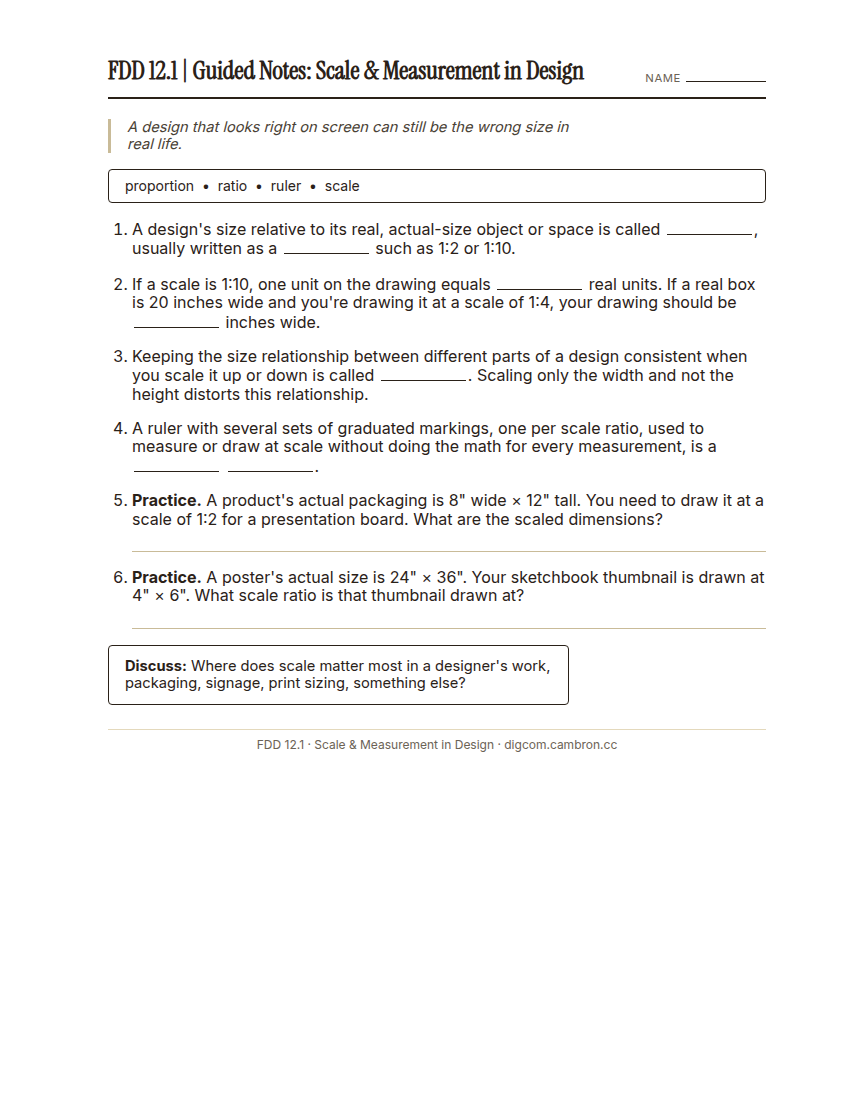
Complete the handout, three hole punch it, and keep it in your class binder.
⬇ Download Worksheet (PDF)Guided notes: scale is a design’s size relative to its real, actual-size object, written as a ratio (for example, 1:2 means the drawing is half real size). A scale ruler has multiple sets of markings, one per common ratio, so you can measure or draw at scale without doing the math for every single measurement. Watch a worked example: converting an 8” × 12” package to a 1:2 scale drawing.
Where does scale matter most in a designer’s actual work. Packaging, signage, print sizing, somewhere else?
Guided Practice (~23 min)
With a partner, work through the 2 practice conversion problems on your guided notes handout. Check your answers against another pair before moving on.
Studio/Project Work Time (~30 min)
- Pick a real object (something you have with you, or one your teacher provides measurements for).
- Choose a scale ratio (1:2, 1:4, or 1:10) and calculate the object’s scaled dimensions.
- In Illustrator, create a new document and set its exact width and height to your calculated scaled dimensions (not a preset. Type in your own numbers).
Where would a designer’s mistake with scale actually cause a real, expensive problem?
Exit Ticket / Wrap-Up (~5 min)
Save your file, then take a screenshot showing your document’s exact dimensions.
🗂 Organize: Put your guided notes with scale-conversion answers in your binder. Save a screenshot of your accurately-scaled Illustrator document in the Photos folder of your Digital Design project folder on Google Drive.
📤 Exit Ticket: Stoplight. In the discussion board below, let us know how you’re doing: G (green: I’ve got this, ready to move on), Y (yellow: I mostly get it, still have a question), or R (red: I’m stuck, I need help). Then explain your rating in at least 3 sentences (aim for 5): what specifically about today’s skill makes you feel that way, and, if you’re yellow or red, what your actual question is.
Stuck on how to start? Try: “I picked ___ because ___. Specifically, when I tried to ___, I ___. One thing that would help is ___.”