7.4 | Releases, Rights & Budget
Key Terms
- Call Sheet
- A daily production document listing what’s shooting, when, where, and who needs to be there. The single source of truth for everyone on set that day.
- Shooting Schedule
- The order scenes actually get filmed in, grouped by location and actor availability, almost never the same order as the finished story.
- Talent Release
- A signed document giving a production permission to record and use someone’s likeness. Required for every on-camera performer, even a friend doing a favor.
- Location Release
- A signed document giving a production permission to film at a specific place. Required for private property, sometimes required for public spaces depending on what’s being filmed.
- Line Item
- A single row in a budget, one specific expense (gear rental, location fee, catering) tracked separately so a producer can see exactly where money is going.
- Contingency
- Extra budget set aside for the unexpected (a reshoot, a broken prop, a rental that runs long). Industry standard is roughly 10 percent of the total budget.
A finished film that nobody legally has permission to show isn’t finished. this lesson covers the paperwork and budgeting that turn a shoot plan into something you can actually publish.
Direct Instruction (~10 min)
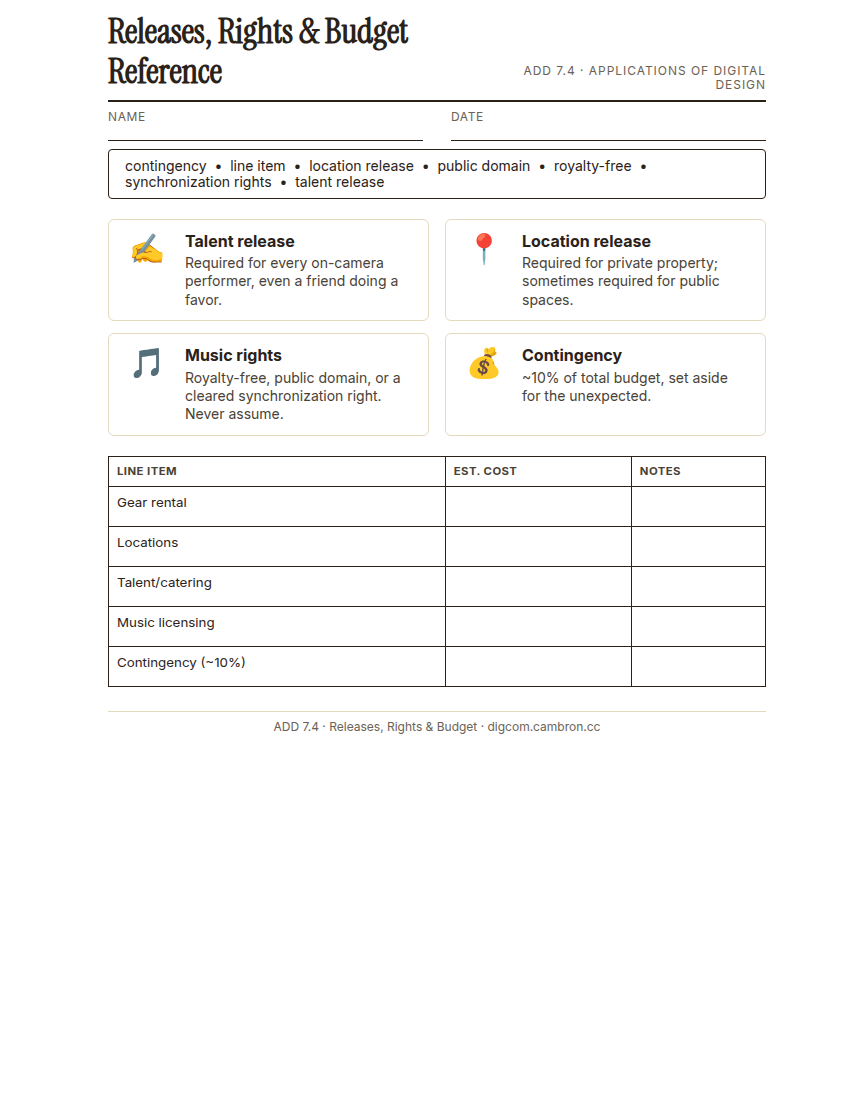
Complete the handout, three hole punch it, and keep it in your class binder.
⬇ Download Worksheet (PDF)Every on-camera performer needs a talent release, even a friend doing a favor, even a classmate. Every non-public filming location needs a location release. Any music you didn’t write yourself needs cleared usage rights: royalty-free (one-time fee or free, reusable without ongoing payments), public domain (no copyright at all), or a proper synchronization right if you’re pairing someone else’s copyrighted song with your video.
A real budget breaks costs into line items. gear rental, location fees, talent/catering, post-production, music licensing. and always includes a contingency line, roughly 10 percent of the total, for the reshoot or broken prop you didn’t plan for.
“‘We’ll just ask for permission later if anyone notices’ is not a rights strategy. Get the release signed before you roll camera, not after you’ve already used the footage.”
Scaffolded questions. Cold-call through all three:
Recall: “What’s the difference between a talent release and a location release?”
Analysis: “Why might a production choose royalty-free music over a popular copyrighted song, even if the copyrighted song fits the scene better?”
Synthesis/Extension: “Your budget is 15 percent over what your group can actually spend. Which line item would you cut first, and what would you lose by cutting it?”
Guided Practice (~23 min)
- List every performer and location from your call sheet (7.3) and draft a release for each.
- Decide your music plan: original, royalty-free, or public domain, and note which.
- Build a line-item budget: gear, locations, talent/catering, post-production, music, plus a contingency line (about 10 percent of the total).
- Cross-check your budget and releases against your shooting schedule. Does every location and performer on the schedule have a matching release?
Which line item in your budget was hardest to estimate, and why?
GMetrix/BrainBuffet (~30 min)
Continue this term’s Premiere Pro GMetrix module.
Exit Ticket / Wrap-Up (~5 min)
🗂 Organize: Put your guided notes in your binder. Save your group’s release forms and budget in the Documents folder of your Digital Design project folder on Google Drive.
📤 Exit Ticket: 3-2-1. On a scrap of paper, write in complete sentences, not a list of fragments: 3 sentences describing things you did or made today, 2 sentences naming techniques or tools you used and how, and 1 sentence asking a question you still have.
Stuck on how to start? Try: “Today I ___. I also ___. I used ___ to ___. I also used ___ to ___. I’m still wondering ___.”