9.1 | Sequence QC: Gaps, Levels & Safe Margins
Key Terms
- Gap in Timeline
- An empty stretch of black or silence between clips on a track, usually accidental, caused by a Lift edit or a clip that got moved. Easy to miss in the editor, obvious to a viewer.
- Safe Margins
- The action-safe and title-safe zones near a frame’s edges, areas that might get cropped off on some TVs or when a video gets reframed for another platform. Keep important text and action inside them.
- Audio Levels (QC)
- Checking that a sequence’s audio never clips and never drops out inaudibly quiet, a final pass before delivery, not just during recording.
- Black Frame
- A single frame with no image, sometimes left accidentally at the head or tail of a sequence during assembly. A quick visual check catches it before export.
Before anything gets delivered, it gets checked. A quality-check pass is the difference between “I think this is done” and “I confirmed this is actually ready.”
Direct Instruction (~10 min)
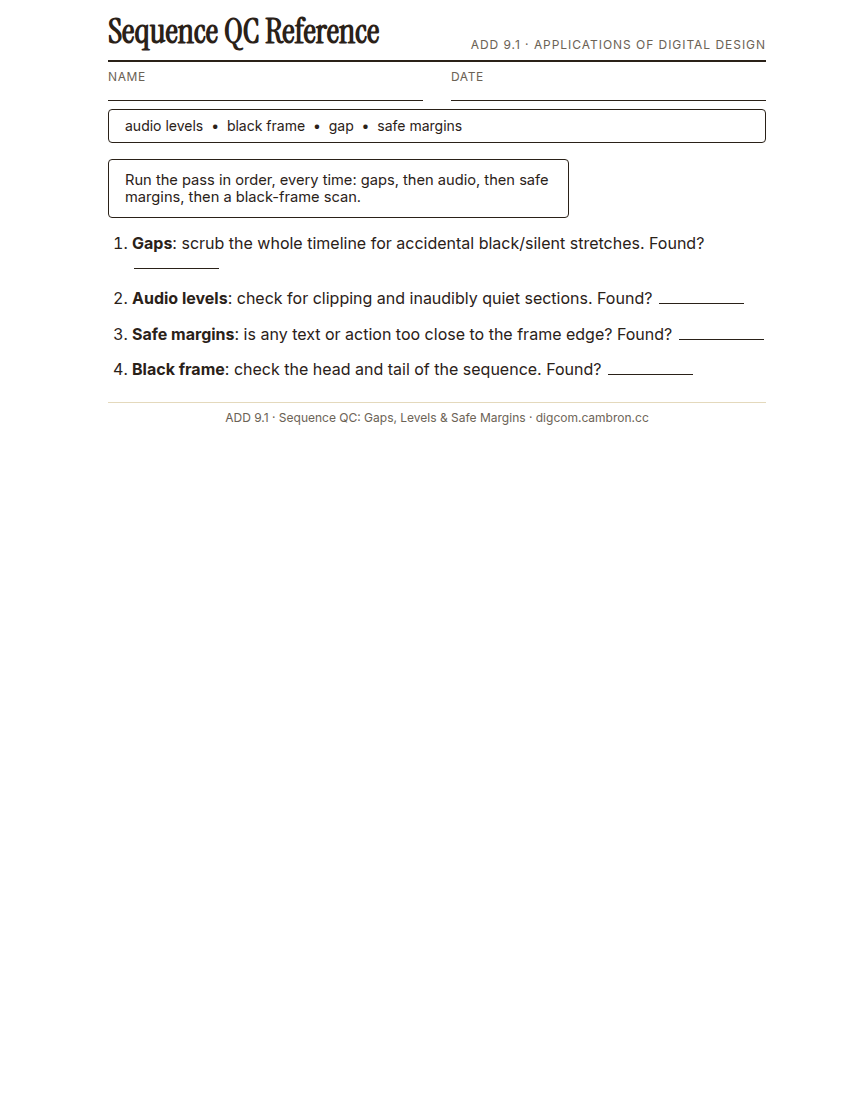
Complete the handout, three hole punch it, and keep it in your class binder.
⬇ Download Worksheet (PDF)A systematic QC pass checks, in order: gaps in the timeline (accidental black/silent stretches from a Lift edit or a moved clip), audio levels (no clipping, nothing inaudibly quiet), safe margins (is any text or critical action too close to the frame edge to survive a crop or reframe), and a scan for a stray black frame at the head or tail.
“‘I think it’s fine’ is not a QC pass. Actually scrub the whole timeline, actually watch the levels meter, actually check the edges of the frame. Every time, not just when something feels off.”
Scaffolded questions. Cold-call through all three:
Recall: “What are the four things a QC pass checks, in order?”
Analysis: “Why might a gap in the timeline be easy to miss during editing but obvious to a viewer?”
Synthesis/Extension: “You’re QC-ing a sequence with no obvious problems. What would make you still not trust it yet?”
Guided Practice (~23 min)
- Open the provided sequence (5+ planted QC errors: gaps, audio issues, safe-margin violations, black frames).
- Run a full QC pass in order: gaps, then audio, then safe margins, then a black-frame scan.
- Fix every error you find.
- Partner check: compare error lists independently, then discuss anything one of you missed.
Which type of error was easiest to miss, and why do you think that is?
GMetrix/BrainBuffet (~30 min)
Continue this term’s Premiere Pro GMetrix module.
Exit Ticket / Wrap-Up (~5 min)
🗂 Organize: Put your guided notes / QC checklist in your binder. Save your before/after QC comparison in the Project Files folder of your Digital Design project folder on Google Drive.
📤 Exit Ticket: Stoplight. In the discussion board below, let us know how you’re doing: G (green: I’ve got this, ready to move on), Y (yellow: I mostly get it, still have a question), or R (red: I’m stuck, I need help). Then explain your rating in at least 3 sentences (aim for 5): what specifically about today’s skill makes you feel that way, and, if you’re yellow or red, what your actual question is.
Stuck on how to start? Try: “I picked ___ because ___. Specifically, when I tried to ___, I ___. One thing that would help is ___.”