5.1 | Podcast Production Planner
Key Terms
- Driving Question
- The specific mystery or conflict your podcast episode is trying to explore. Narrower than a general topic.
- The “Not” List
- Related topics you deliberately exclude to keep an episode focused and within its time limit.
- Interviewer (Host)
- The talent role asking questions and guiding the conversation’s arc.
- Guest
- The talent role serving as the subject matter expert being interviewed.
- Floor Director
- Manages the recording set, provides timing cues, and coordinates the crew.
- Video Engineer
- Operates the live switcher to change camera angles and graphics during a live or live-to-tape recording.
- Audio Engineer
- Monitors volume levels and triggers music or sound effects during recording.
Every good podcast episode starts the same way a good news story does: a specific question, clear scope, and a crew who knows their jobs before anyone hits record.
Direct Instruction (~10 min)
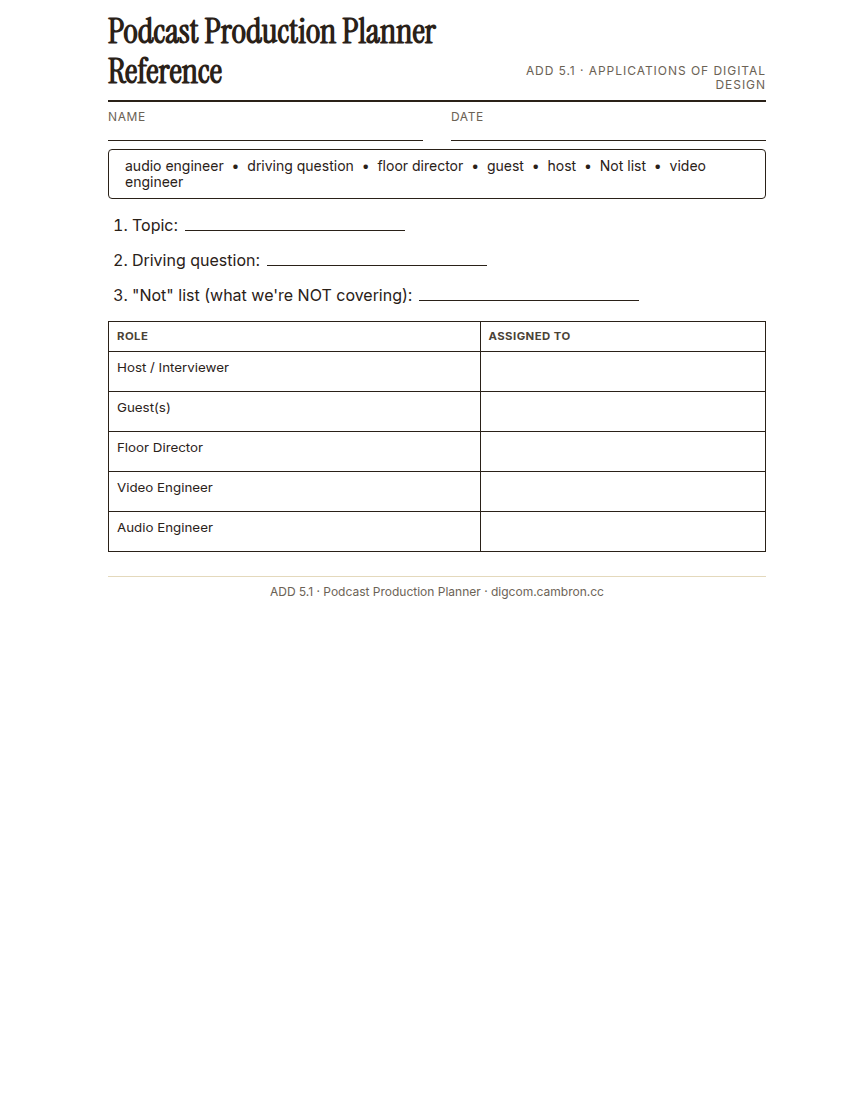
Complete the handout, three hole punch it, and keep it in your class binder.
⬇ Download Worksheet (PDF)“A driving question is not the same as a topic. ‘AI and art’ is a topic. ‘Is AI-generated art actually art?’ is a driving question. It gives your episode something to actually resolve.”
Walk through: defining a driving question, building a “Not” list to protect your runtime, assigning talent (interviewer/guest), and assigning production roles (floor director, video engineer, audio engineer).
Scaffolded questions. Cold-call through all three:
Recall: “What’s the difference between a topic and a driving question?”
Analysis: “Why does a ‘Not’ list help keep a 3-5 minute episode focused?”
Synthesis/Extension: “If your group can’t agree on a driving question, how would you decide between two strong options?”
Guided Practice | Plan Your Episode (~23 min)
- Choose a topic (an AI-and-creativity angle works well, but any well-scoped topic is fine).
- Define your driving question and your “Not” list as a group.
- Assign talent: who’s the interviewer, who’s the guest(s)?
- Assign production roles: floor director, video engineer, audio engineer.
- Complete the Podcast Planner document together, then each member submits individually.
Cold call check: your group’s “topic” is still just a broad subject after 10 minutes of discussion. What question could you ask yourselves to force it narrower?
GMetrix/BrainBuffet (~30 min)
Continue Module 3: today’s sections extend into proxies and mixed-format workflows.
Exit Ticket / Wrap-Up (~5 min)
🗂 Organize: Save your submitted Podcast Planner in the Project Files folder of your Digital Design project folder on Google Drive.
📤 Exit Ticket: Stoplight. In the discussion board below, let us know how you’re doing: G (green: I’ve got this, ready to move on), Y (yellow: I mostly get it, still have a question), or R (red: I’m stuck, I need help). Then explain your rating in at least 3 sentences (aim for 5): what specifically about today’s skill makes you feel that way, and, if you’re yellow or red, what your actual question is.
Stuck on how to start? Try: “I picked ___ because ___. Specifically, when I tried to ___, I ___. One thing that would help is ___.”