7.3 | Production Plan
Key Terms
- Call Sheet
- A daily production document listing what’s shooting, when, where, and who needs to be there. The single source of truth for everyone on set that day.
- Shooting Schedule
- The order scenes actually get filmed in, grouped by location and actor availability, almost never the same order as the finished story.
- Talent Release
- A signed document giving a production permission to record and use someone’s likeness. Required for every on-camera performer, even a friend doing a favor.
- Location Release
- A signed document giving a production permission to film at a specific place. Required for private property, sometimes required for public spaces depending on what’s being filmed.
- Line Item
- A single row in a budget, one specific expense (gear rental, location fee, catering) tracked separately so a producer can see exactly where money is going.
- Contingency
- Extra budget set aside for the unexpected (a reshoot, a broken prop, a rental that runs long). Industry standard is roughly 10 percent of the total budget.
A script tells you what happens. A production plan tells you when, where, and who needs to show up to make it happen, in an order that actually saves time.
Direct Instruction (~10 min)
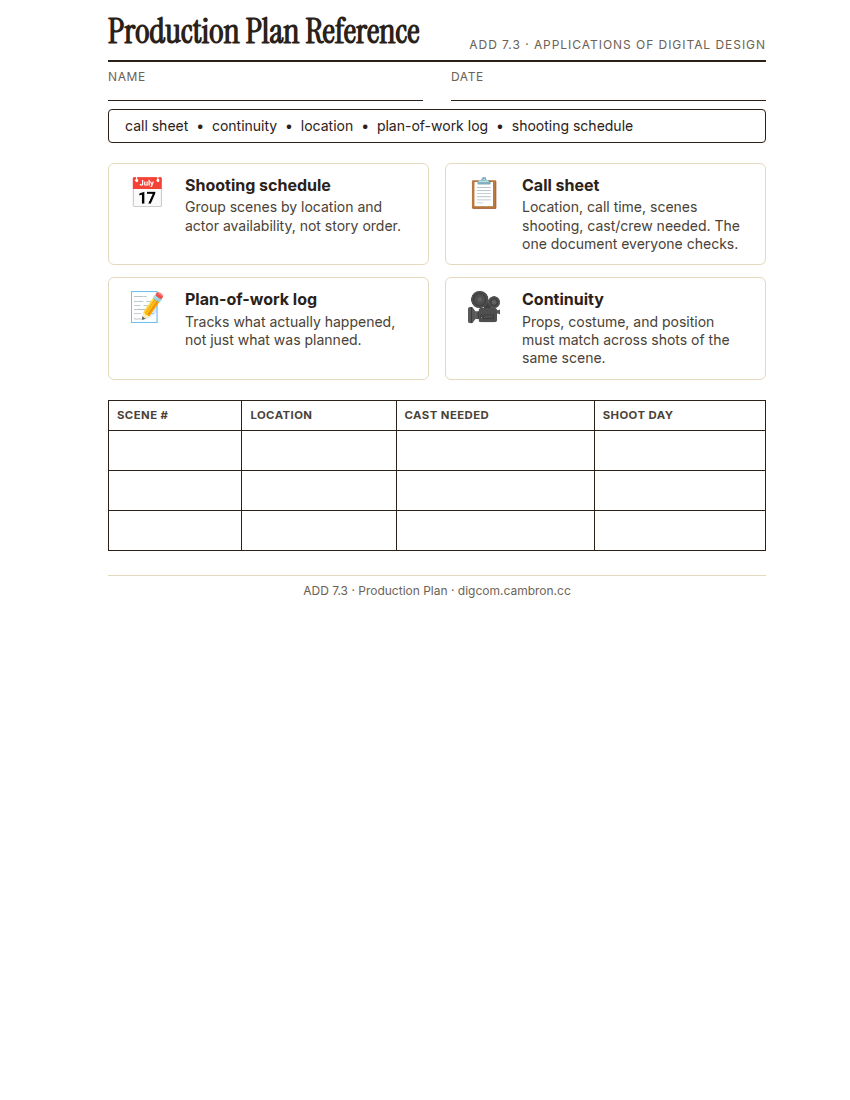
Complete the handout, three hole punch it, and keep it in your class binder.
⬇ Download Worksheet (PDF)A shooting schedule almost never matches story order. Instead, group scenes by location (film everything in one place before moving, even if those scenes happen at different points in the story) and by actor availability (if an actor can only come Saturday, every scene with them gets scheduled that day). A call sheet is the daily document everyone actually checks: which scenes are shooting, call time, location, and who (cast, crew) needs to be there.
A plan-of-work log tracks the plan as it changes. shoots get rescheduled, locations fall through, and a written record of what actually happened (not just what was planned) is what makes a production book (Unit 9) possible to write later.
“If your call sheet just says ‘film the movie Saturday,’ it’s not a call sheet, it’s a wish. A real call sheet tells a specific person to be at a specific place at a specific time for a specific reason.”
Scaffolded questions. Cold-call through all three:
Recall: “What two things do you group scenes by when building a shooting schedule?”
Analysis: “Why might filming out of story order actually make it harder to keep continuity (matching hair, costume, prop positions) consistent?”
Synthesis/Extension: “Your lead actor can only shoot on one weekend day. How does that constraint change your entire shooting schedule?”
Guided Practice (~23 min)
- List every scene from your group’s script (from 7.1’s shot list) with its location and which cast members appear in it.
- Group scenes by location, then check for actor-availability conflicts within each group.
- Build your shooting schedule: the order you’ll actually film in, with a one-sentence reason for the grouping.
- Fill out a Day 1 call sheet: location, call time, scenes shooting, cast/crew needed.
What could go wrong on your Day 1 shoot that the call sheet wouldn’t catch, and how would your group handle it?
GMetrix/BrainBuffet (~30 min)
Continue this term’s Premiere Pro GMetrix module.
Exit Ticket / Wrap-Up (~5 min)
🗂 Organize: Put your guided notes in your binder. Save your group’s shooting schedule and call sheet in the Documents folder of your Digital Design project folder on Google Drive.
📤 Exit Ticket: Emoji Meter. On a scrap of paper, draw ONE face that matches how confident you feel about today’s skill: 🙁 (not yet), 😐 (getting there), or 🙂 (got it). Then explain why in at least 3 sentences (aim for 5), connecting your answer to something specific from today, not just a general feeling.
Stuck on how to start? Try: “I drew ___ because ___. Specifically, when I tried to ___, I ___. Next time I want to ___.”